
Philips Touch Monitors
Technology at your fingertips
Brilliant touch displays with SmoothTouch
Philips Touch Monitors offer innovative, user-friendly solutions for a wide array of usage scenarios and professions. Equipped with Projected-Capacitive (P-Cap) touch these interactive displays can support up to 10 points and feature advanced IP65 protection against contact, water, and dust.
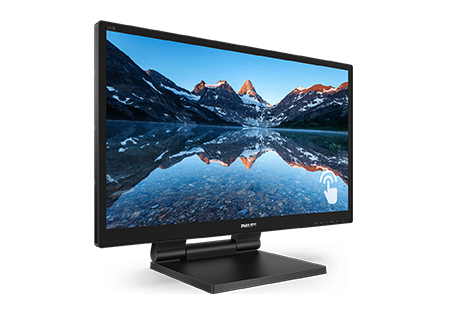
LCD monitor with SmoothTouch
242B9T/27
Brilliant interactive display with SmoothTouch The Philips 242B9T is a sturdy water and dust-resistant touch-screen monitor for flexible use anywhere. Its adjustable articulating stand enables placement in a wide variety of settings.
Unfortunately this product is no longer available
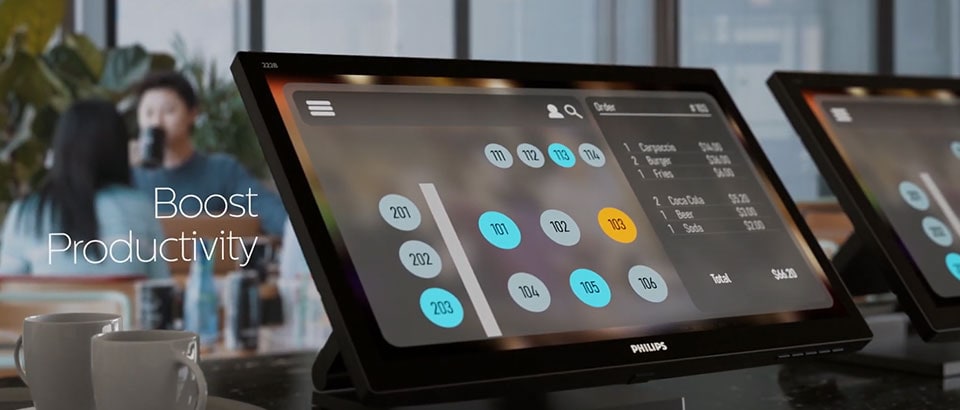
Wide array of usage scenarios
Boost Productivity
Water and dust resistant
For less-than-perfect environments, you need a monitor that's designed to hold up to the splashes of water and dust that happen in the everyday world. Philips displays meet the international IP rating for water and dust resistance. It will hold up to the water splashes and dust that happen in the everyday world.
Smart Stand
- Toggle view
Philips SmartStand allows you a flexible adjustment of the screen. Its Z-type structure enable various ergonomic positions thanks to a height adjustment, tilt and folding capabilities. You can set the stand upright, recline it backwards and almost flat on the table if required.

Why Philips Touch Monitors?

SmoothTouch
Philips touch screen are based on Projected Capacitive technology for fluid response, with 10 multiple touch points. This technology is highly durable due to a glass overlay and will work with your finger, some latex gloves and a passive stylus-pen.

Scratch
resistance
resistance
Our touch screens are covered by a glass overlay and ensures high durability and allows that the touch function keeps working even if the glass is scratched. This glass has 7H resistance, the level of quartz material to ensure protection to your touch monitor.

Smart
connect
connect
Our touch monitors are equipped with universal connections: VGA, DVI, HDMI and DisplayPort input for digital signal. This helps you connect to any device no matter the connector. Connect via USB in order to enable the touch function.
Software compatibility
Philips touch monitor have cross-platform compatibility with certain versions of

Windows

Android

Linux
Help, support and updates
Register your Monitor
Create your free ‘My Philips’ account to register your new monitor. Once registered, we’ll notify you when new updates are available.
Software updates
Keep your Philips Monitor performing at its best. If there’s a new software update, you’ll find it here. And if you’ve lost your drivers, you can download them here too for free.
Support platform
The quickest way to resolve any technical issues and settings is by checking the Philips Monitor troubleshooting guide. Use these handy tips and tricks to get your monitor back on track in no time.
Contact us
We’re here to help. Whether you need advice in purchasing a Philips Monitor or support in setting it up, you can contact us by phone, email or online chat.

