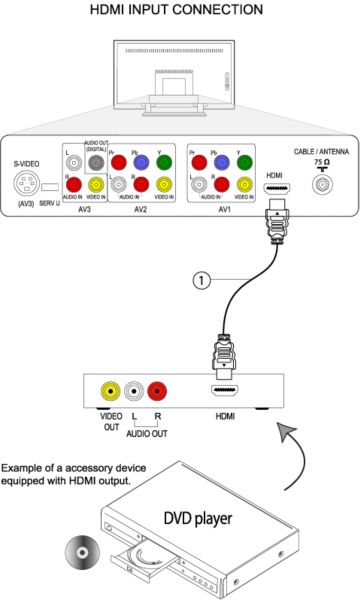
Unplug the TV and accessory device before you make any connection.
Use a HDMI cable (1), connect one end of the cable to the HDMI output of the accessory device and the other end to the HDMI input on the back of the television.
Turn on the accessory device, if it is a playback device such as a DVD Player or Recorder insert a pre-recorded DVD, and press [Play] button.
Turn on the TV and press the [V+] button on the remote control repeatedly to select HDMI and press the [OK] button to confirm your selection.
How to connect the HDMI accessory device to my Philips TV?
Published on 2016-12-29